Nothing to install
Kiteba runs in the browser, on a computer, tablet or phone. Everyone picks their own language from nine, Arabic included.
School management online
Timetable, attendance, grades, absence notes and a parent portal. For schools, music schools, training centres, language schools and associations.
No credit cardNothing to install9 languages
Video tour
From importing students to report cards: the real app, filmed on a demo school.
Like what you see? Try it with your own classes.
Try it free for 15 daysThe essentials
Kiteba runs in the browser, on a computer, tablet or phone. Everyone picks their own language from nine, Arabic included.
Absence, late arrival, new grade, new message: everyone gets the notification, and the email if they want it.
A spreadsheet is all it takes: each student goes into their class and their parents are invited by email. From the Pro plan.
The app, the database and the files are hosted by Infomaniak in Switzerland. No advertising cookies.
Features
Pick a feature: every screen is the real app, filmed on a demo school.
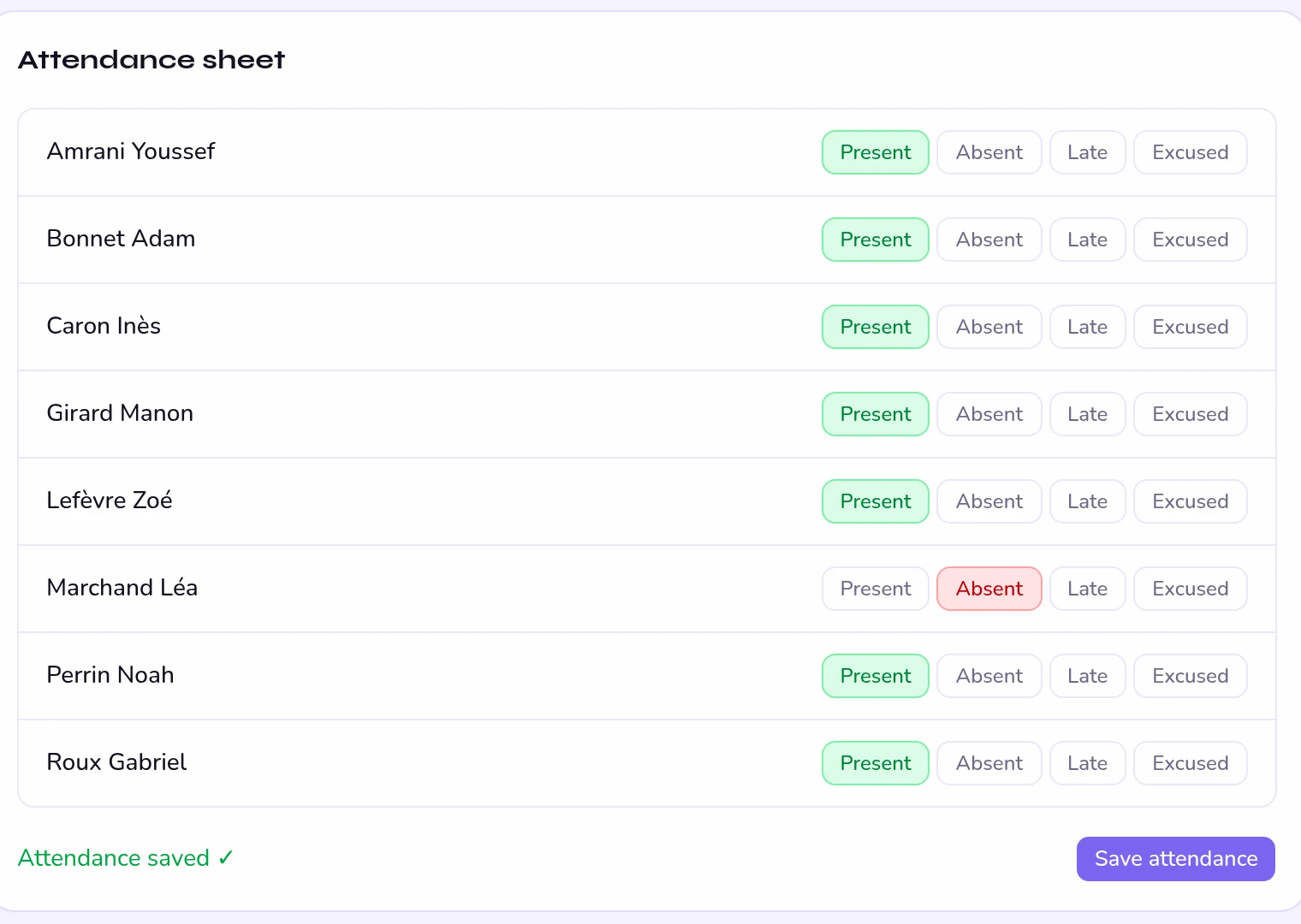
The teacher marks each student present, absent, late or excused, then saves. An absence reaches the parents as a notification, and by email if they chose it.
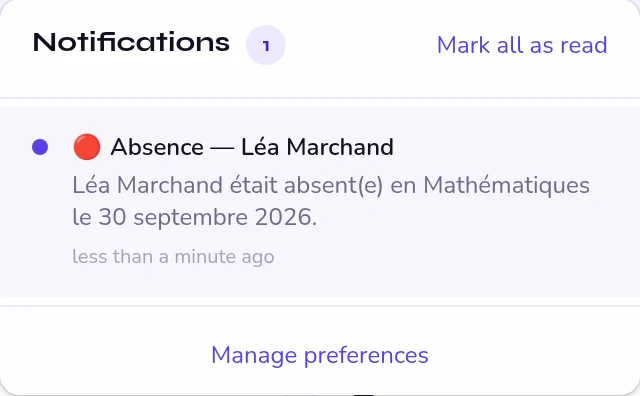
The notification goes out the moment attendance is saved.
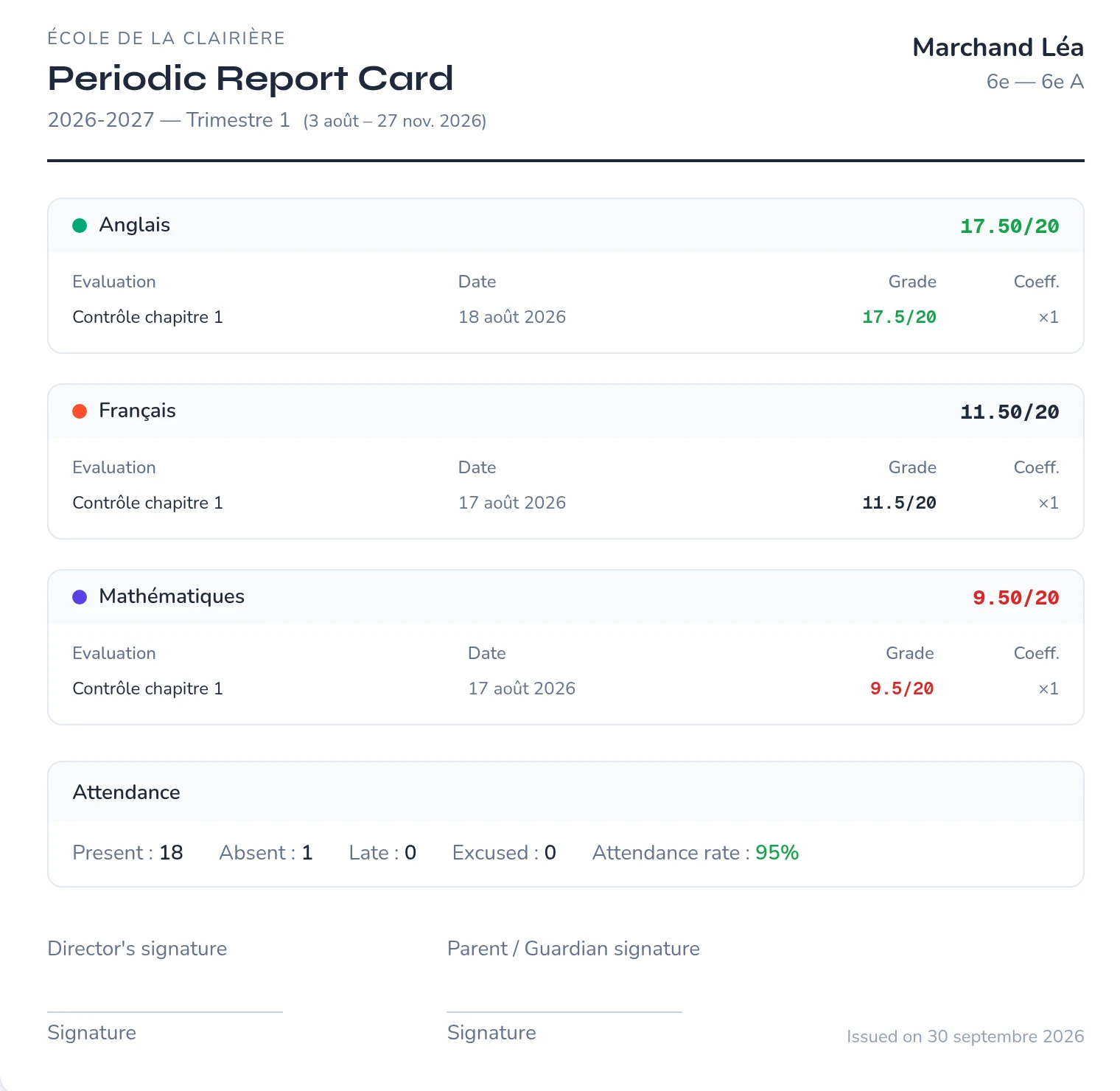
Grading scale, weighting, a comment per subject and per term. The report card brings together grades, averages and attendance, ready to print or save as PDF.
An absence recorded in class already shows on the report card.
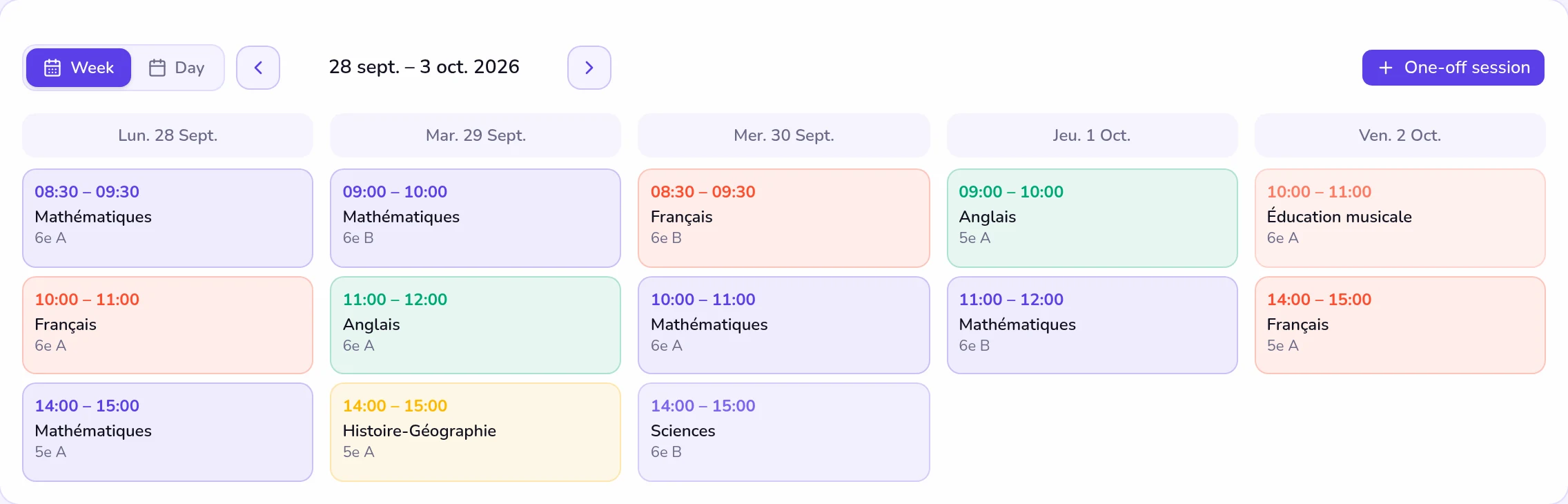
A session created once repeats every week. Everyone sees their own timetable: by class, by teacher or by subject.
Upcoming sessions are created automatically eight weeks ahead.
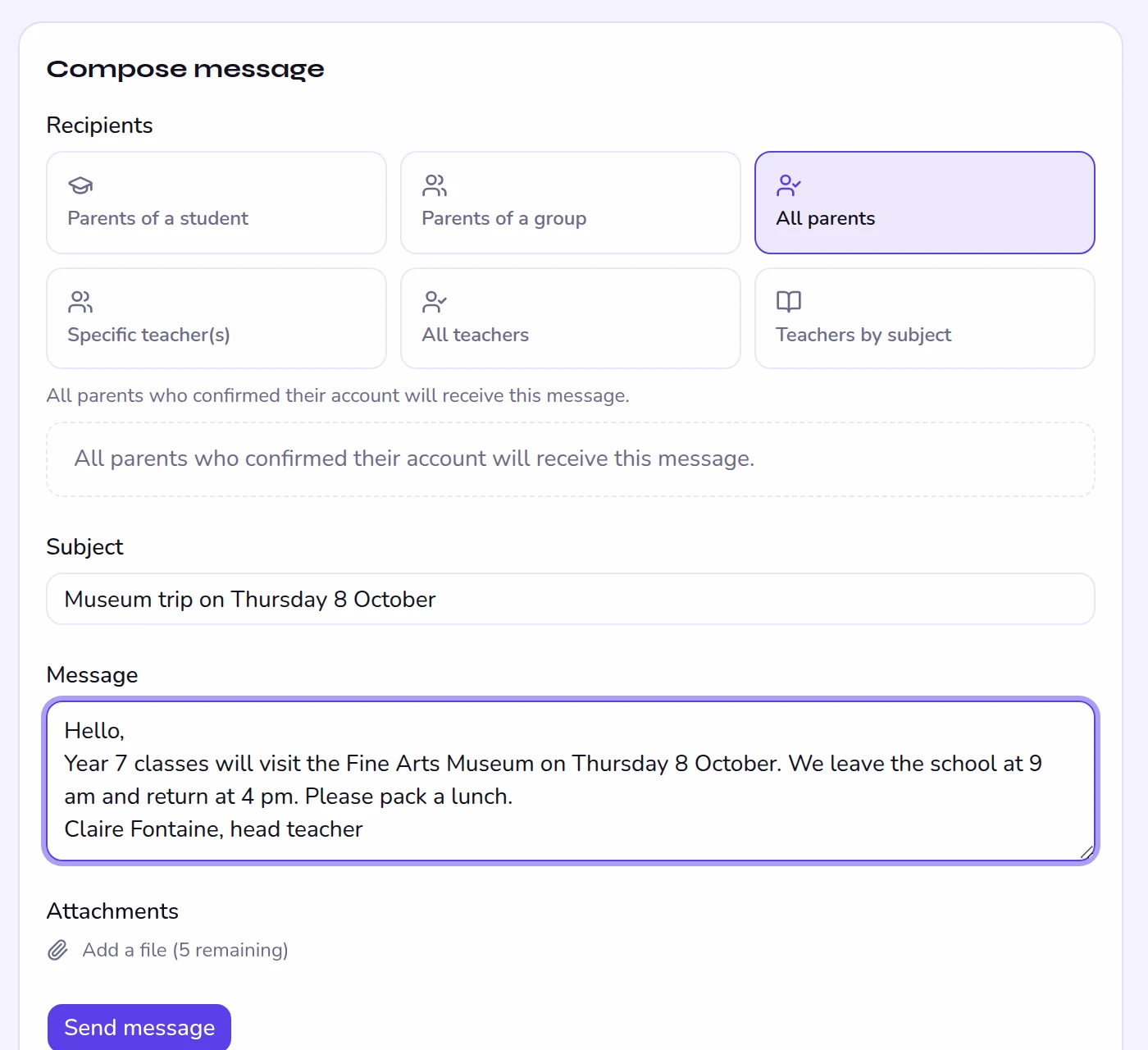
The parents of one student or one class, all parents, selected teachers, all teachers or the teachers of one subject. Announcements show up in everyone's space.
Up to five attachments per message.
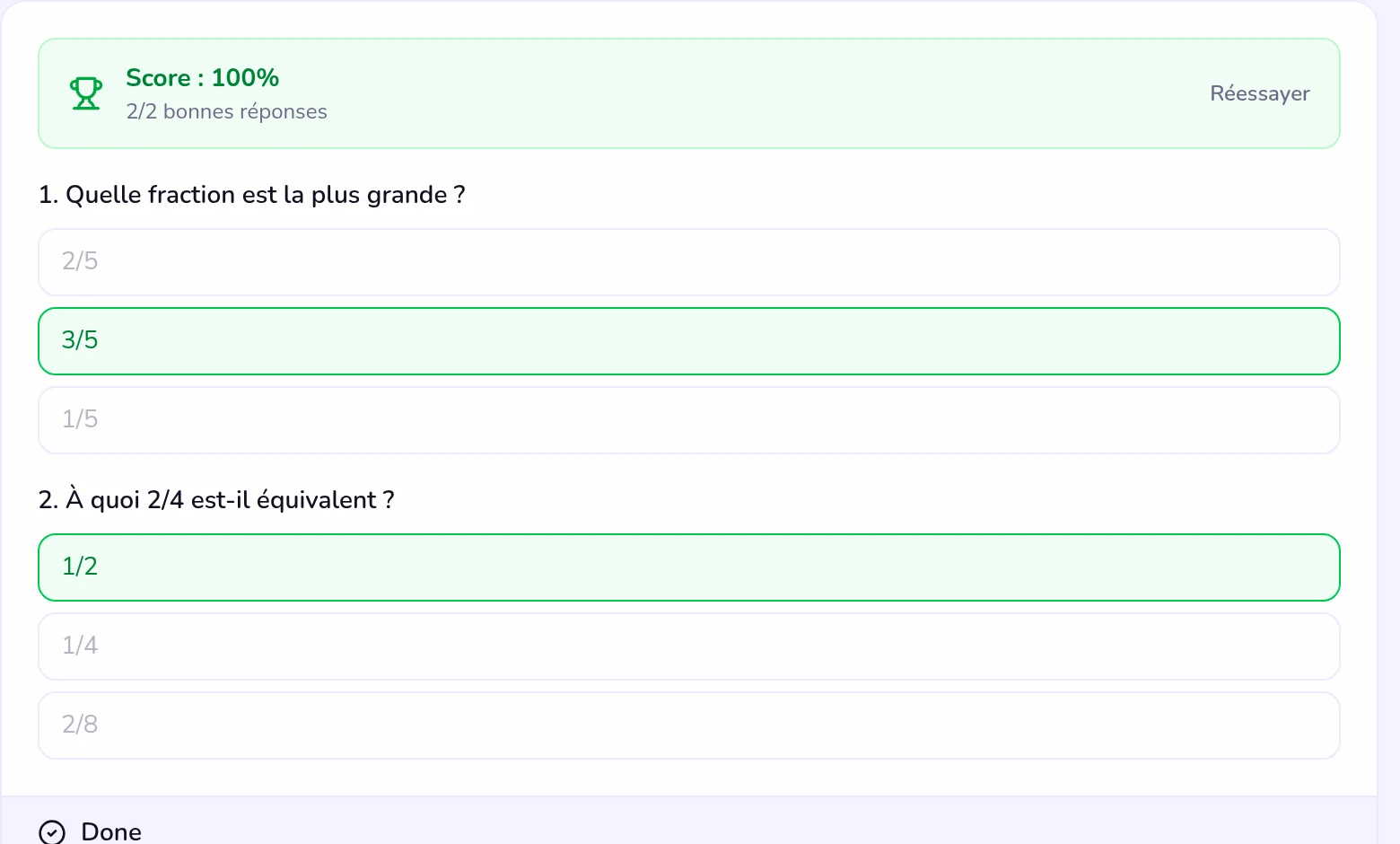
Text, images and quizzes, organised into modules and assigned to a group. Each student's progress is tracked block by block.
Included in Pro and Growth, €30 a month as an add-on for Starter.
Our signature feature
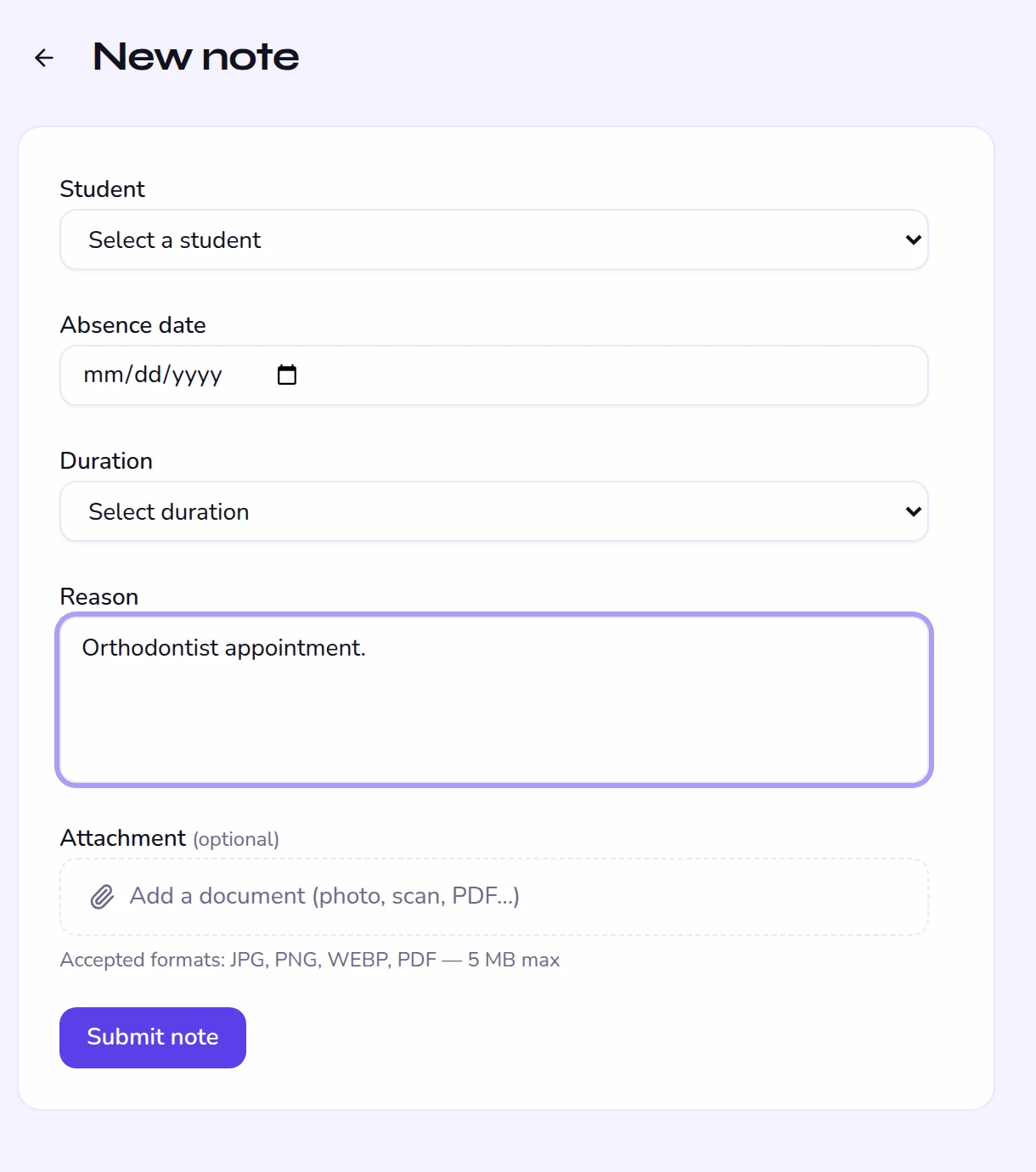
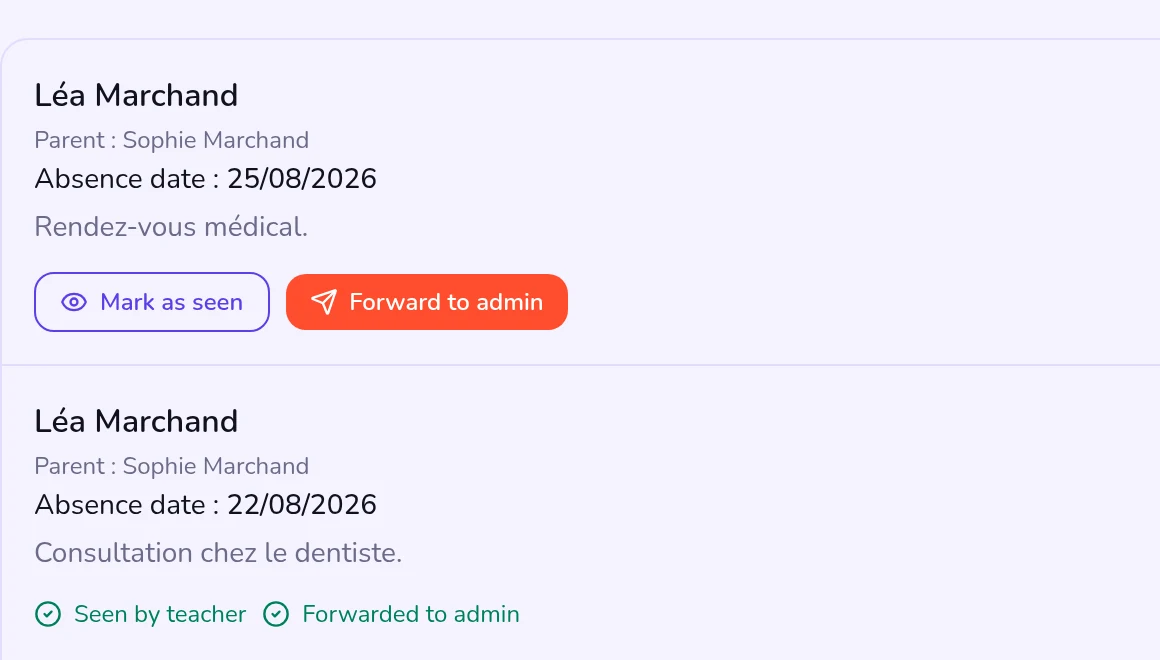
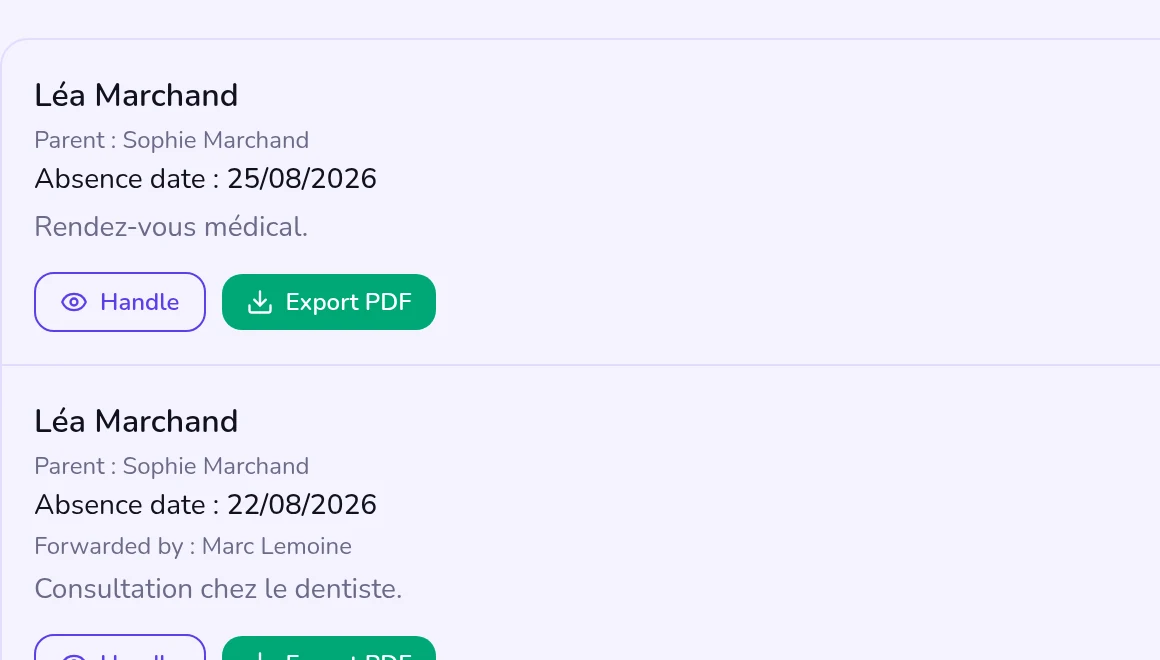
Three people, one workflow, a complete record. Every sign-off is time-stamped, and the administration exports an official PDF with the full timeline.
Date, duration, reason and attachment, from their own space.
They mark the note as seen, then forward it to the administration.
It handles the note and can export it as a PDF.
A space for each role
Sets up the school, imports students, builds the timetable, follows absences and locks grades.
Takes attendance, enters grades and comments, signs off absence notes, publishes online courses.
Follows their children's attendance, grades and report cards, submits absence notes, writes to the school.
Checks their timetable, grades and absences, and follows their online courses.
Who it is for
When you sign up, you choose the closest profile: school, music school or training centre. It adapts the menu and turns the parent portal on or off, and you can change it later in the settings.
Nursery, primary, secondary
Classes, subjects, teachers, term report cards and a parent portal open from day one.
Conservatoire, academy
The menu speaks of workshops, disciplines and teachers. Tiered levels, sessions by room.
Professional training
The menu speaks of cohorts, modules and trainers; with no parent portal, messages go straight to trainees.
Evening classes, groups by level
Groups by level, recurring sessions, attendance and assessments. A parent portal for children's classes, which you can turn off for adults.
Tutoring, evening classes, homework clubs
Timetable, attendance and contact with families, with nothing to install. The Starter plan covers 250 students.
Arts academies
Workshops, disciplines, teachers and sessions by room: the music school profile suits the performing arts too.
Pricing
Every plan starts with a 15-day free trial, no credit card needed.
Starter
For a small organisation getting started.
or €23 a month billed yearly
Pro
For an established school.
or €79 a month billed yearly
Growth
For a large school.
or €151 a month billed yearly
Enterprise
For large institutions.
Committing for a year takes 20% off every plan.
Questions
No. Kiteba runs in the browser, on a computer, tablet or phone. Parents and students receive an invitation by email.
With Infomaniak, in Switzerland: the app, the database and the files. The full list of subprocessors is in the privacy policy.
You create your school and have 15 days to try it with your real classes, with no credit card. If you pick a plan before the end, the remaining trial days are kept.
Access is suspended until you choose a plan. Without a subscription, the school and its data are deleted 30 days after the trial ends. An email warns you a week beforehand.
Yes, at any time, from the Billing area. The change is prorated over the current period.
15 days free
Try Kiteba with your real classes, no credit card needed.